The Title Fit Kit
Titles, descriptions and subject lines that still make sense wherever the screen cuts them: measured in pixels across a band, not against one limit, with a triage that rewrites only what the cut actually hurts
Our Headline Pixel Counter, Meta Description Checker and Email Subject-Line Checker each measure one line against one number, 600 px, 920 px or 35 characters. Google publishes no such limit: it cuts title links and snippets as needed to fit the device width, and often writes its own. Four titles of exactly 60 characters measure from 402 to 735 px, and our Headline Analyzer gives all four full marks for length. The Title Fit Kit asks what a reader still sees when the cut comes early. It walks the band from 540 to 600 px: the worked title loses its reason to click at every width (it ends at 600.22 px), and the rewrite keeps both the key phrase and the reason inside 540 px, losing only the brand. It prices the case (571 px in sentence case, 609 px every word capitalized), budgets the brand suffix, writes the description and first paragraph as two openings, moves a subject line's reason to open inside 35 characters, and triages a site: in the example audit a character count flags 7 of 8 titles, the key-phrase rule 2. Every figure is computed from our own tools' Arial metrics and labeled an example; 600 px, 920 px, 35 and 60 characters are working figures, not rules, and nothing here promises a ranking, a click, an open or a delivery. Included: 7 steps, 4 printable working pages, reference tables with Google's own wording, a quickstart, and a personalised sheet worked from the widths you measure in our tools.
Look inside
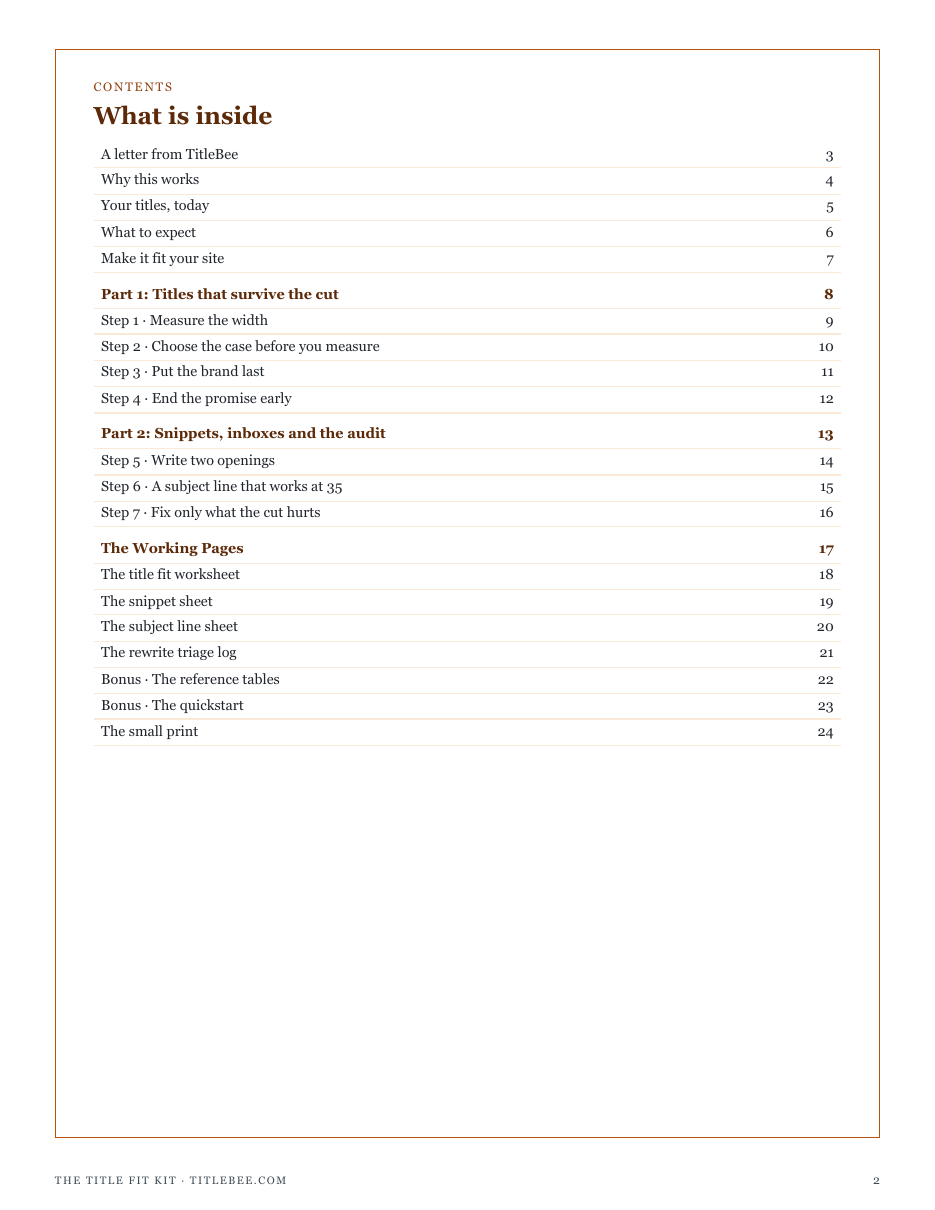
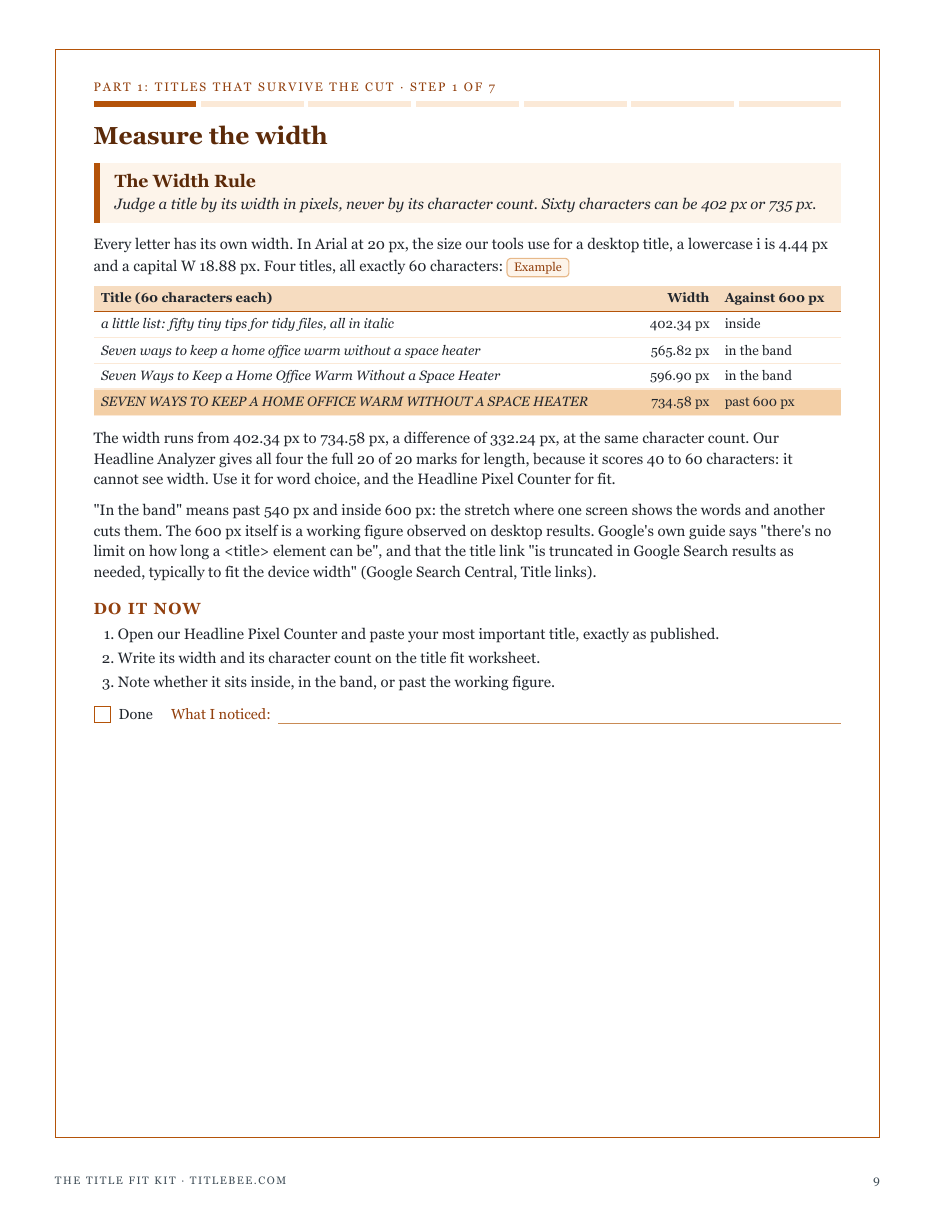
Two full pages from the pack, exactly as printed. Click either to read it at full size before you decide.
What is in it
- The Width Rule: four titles of exactly 60 characters measure 402 to 735 px, and what that means for a character count
- The Case Cost Rule: the same title in sentence case, AP style, every word capitalized and capitals, measured
- The Brand Last Rule: what a suffix costs, and the same rewrite brand first and brand last
- The Early Promise Rule: where the cut falls at 540, 570 and 600 px, before and after a rewrite, plus moves that buy width
- The Two Openings Rule: a description and a first paragraph that each carry the answer inside 828 px
- The Thirty-Five Rule: a subject line walked at 30, 35, 40 and 60 characters, with the preview text carrying the rest
- The Triage Rule: an eight-title audit where the key-phrase rule flags 2 and a character count 7
- Four working pages: title fit worksheet, snippet sheet, subject line sheet, rewrite triage log
- Reference tables: letter widths at 20 and 14 px, and the working figures beside what Google and Gmail actually say
- A quickstart, and a personalised sheet worked from the widths you measure in our tools
- ✓ 24 printable pages
- ✓ 10 sections, worksheets and templates
- ✓ A second PDF worked out from the numbers you enter
- ✓ No account needed, just an email address
- ✓ Instant download; link valid 7 days
Price includes any taxes. Sold by GrabURL, who handle checkout and support. The charge appears on your statement as GrabURL.
The pack picks up where the free Headline Pixel Counter leaves off. The counter measures one title against one width; the pack walks the whole band where titles are cut, shows what a reader still sees at each width, and turns that into a triage that rewrites only the titles whose key phrase or reason to click would be lost. It does the same for the meta descriptionand the page's first paragraph, and for email subject lines. Google publishes no fixed title or description length and often writes its own; the pack promises no ranking, click or open.